Skip to content
Beast of ReincarnationGuide & wiki

4 August 2026 release
Updated 2026-08-05

Beast of Reincarnation Mods: Which Ultrawide Fix to Install

Four mods fix the same black bars and they do not do the same things. Every feature each author claims, side by side, plus the UE4SS build requirement that makes two of them silently do nothing.

Applies to 4 August 2026 releaseUpdated

By

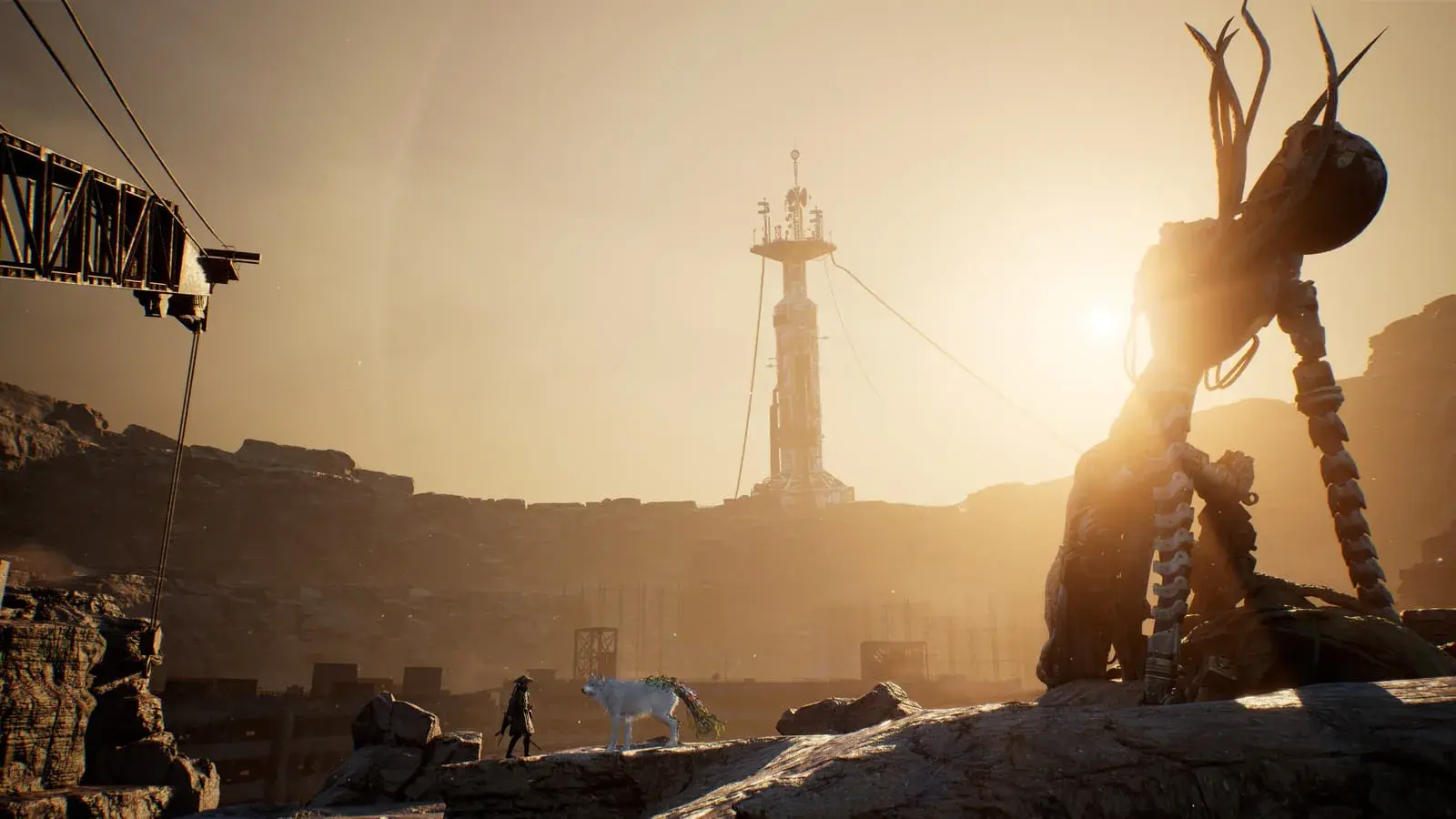
Emma and Koo walking a rocky ridge at sunset as a towering antlered creature looms in silhouette, a derelict transmission tower standing across the quarry behind them
Image: Publisher screenshots via the Xbox store listing

Every feature claim on this page is the mod author’s own, read off their Nexus page on 7 August 2026. This site has not installed any of these mods and has no 21:9 or 32:9 display to check them on, so nothing below is a test result and the ordering is download count rather than a verdict. Where a mod page says nothing about a feature, this page says “not claimed” instead of guessing.

Black bars, and why removing them is only half the fix

The complaint on the forum is “black bars”, but which bars matters: this game pillarboxes — it renders a 16:9 picture and pads the sides. That is why every mod here ships a field-of-view control next to the bar removal, and why a mod that removes the bars without one can leave you seeing less of the scene rather than more.

Shipped: 16:9 rendered, sides padded. The image is smaller than the monitor.
Bars removed, FOV left at 78: the width is filled by cropping the top and bottom. Wider frame, less scene.
Bars removed and FOV raised to 100: the extra width shows more of the scene, which is the outcome the mods aim at.
  • The bars — no image is rendered here at all
  • Rendered image
  • Ground plane, for framing reference

Schematic, not a capture. Nothing on this site has been photographed on a 21:9 or 32:9 display; the panels illustrate the geometry described by the mod authors on their own pages. Vertical FOV 78 is the game default, stated by rankftw’s mod page; 100 is that mod’s default replacement.

The comparison nobody publishes

Four mods, one bug, and they are not interchangeable

Every article about ultrawide in this game names one mod, and which one appears to depend on which one the writer found first. Filter by the thing that is actually broken on your screen and the choice usually makes itself.

What do you need fixed?

All 4 ultrawide fixes, ordered by Nexus download count. Not a ranking — nothing here has been tested by this site.

Drop-in files4.7k downloads · 24 endorsed

Beast of Reincarnation Ultrawide Fix

by therake620 · v1.3.1 · updated 5 August 2026

The most-downloaded and the least documented. Its whole install instruction is "copy the .zip content into the game folder", it names no prerequisite, and its description is four bullet points. That combination is worth stating plainly rather than reading as either a good or a bad sign: it is the easiest one to install and the one whose page tells you least about what it does.

  • Black bars removed
  • Field of view
  • Skill tree aligned
  • Camp menu centred — not claimed
  • Hit damage indicators — not claimed
  • Enemy/boss health bars — not claimed
  • DLSS→FSR 1 reset — not claimed
  • Game Pass path documented — not claimed
  • Steam Deck / Linux — not claimed

Needs first

The mod page names no prerequisite.
UE4SS script2.7k downloads · 16 endorsed

Ultrawide Fix (Black Bars · FOV · UI Centering) All Aspect Ratios

by rankftw · v2.0 · updated 5 August 2026

The most thoroughly documented of the four, and the only one that publishes its own known issues. Version 2.0 was a rewrite that collapsed the previously separate 21:9 and 32:9 downloads into one auto-detecting build — which matters because installing the wrong aspect-ratio build used to be the common failure, and as of 5 August that failure mode no longer exists on this mod.

  • Black bars removed
  • Field of view
  • Skill tree aligned
  • Camp menu centred
  • Hit damage indicators
  • Enemy/boss health bars — not claimed
  • DLSS→FSR 1 reset — not claimed
  • Game Pass path documented
  • Steam Deck / Linux — not claimed

Needs first

UE4SS — experimental/dev build required, not a stable release. No SUWSF.

The author’s own known issues

  • A brief FOV snap can occur during finishing-move killcams.
  • Some pre-rendered video cutscenes stay letterboxed, because they were baked at 16:9 and no mod can widen a video file.
ASI plugin895 downloads · 13 endorsed

BeastOfReincarnationFix (ultrawide support and more)

by Lyall, uploaded by Wintermance · v0.0.4 · updated 7 August 2026

The only one of the four that is not really an ultrawide mod. It is a general-purpose fix plugin that happens to include ultrawide support, and it is the only one that also fixes DLSS reverting to FSR 1 on startup — a separate, heavily-reported bug that has nothing to do with aspect ratio. It is also the only one with Steam Deck and Linux instructions, and the most recently updated.

  • Black bars removed
  • Field of view
  • Skill tree aligned — not claimed
  • Camp menu centred — not claimed
  • Hit damage indicators — not claimed
  • Enemy/boss health bars — not claimed
  • DLSS→FSR 1 reset
  • Game Pass path documented
  • Steam Deck / Linux

Needs first

None. It is a standalone plugin dropped into the binaries folder — no UE4SS.

UE4SS scriptnew · 0 endorsed

Complete Ultrawide HUD · Camera · Health Bar and Skill Tree Fix

by StarScreamRules89 · v1 · updated 5 August 2026

The newest and least-adopted, and the only one that claims to repair enemy and boss health bars rendering invisible or greyed out at ultrawide. If that is your symptom, this is currently the only mod that says it addresses it. It is a derivative of therake620’s mod, bundled with permission, and its author credits that openly.

  • Black bars removed
  • Field of view
  • Skill tree aligned
  • Camp menu centred — not claimed
  • Hit damage indicators
  • Enemy/boss health bars
  • DLSS→FSR 1 reset — not claimed
  • Game Pass path documented — not claimed
  • Steam Deck / Linux — not claimed

Needs first

UE4SS.

Read this before the mod page

The loader decides more than the mod does

Three of these use three mutually exclusive install routes. Picking the wrong one is the difference between a fix and a game that launches normally and ignores you.

UE4SS script

A scripting runtime for Unreal Engine games. The mod itself is a Lua folder that UE4SS loads; UE4SS is a separate download that no mod bundles.

  • Steam path…\BeastOfReincarnation\BeastOfReincarnation\Binaries\Win64\
  • Game Pass / Xbox App pathC:\XboxGames\Beast of Reincarnation\Content\BeastOfReincarnation\Binaries\WinGDK\

The catch

It must be the experimental/dev build with Unreal Engine 5.4 support, not the stable release. Both rankftw and LtFlink state this independently. A stable UE4SS produces a game that starts normally with the mod silently inert, which reads as "the mod does not work" rather than "the loader is wrong".

ASI plugin

A DLL dropped straight into the binaries folder, loaded by the game process itself. Self-contained — no runtime to install first, and nothing to keep in sync.

  • Steam path…\Binaries\Win64\ (Steam) or …\Binaries\WinGDK\ (Microsoft Store)

The catch

On Steam Deck or Linux it needs a launch-option override — WINEDLLOVERRIDES="dsound=n,b" %command% — which is not needed and not harmful on Windows. Only one mod on this page documents it.

Drop-in files

An archive extracted over the game folder. Nothing to install first, nothing to configure.

  • Steam pathThe game root, e.g. …\steamapps\common\BeastOfReincarnation

The catch

The simplest to install and the hardest to uninstall cleanly, because the archive does not say which files it added. Note the file listing before you extract if you intend to remove it later.

Useful even if you never install anything

Bugs the mod pages document and no official channel does

A fix existing is evidence the bug exists. Four days after launch, mod authors are the only people publishing a written inventory of what specifically breaks at ultrawide — and several of these are absent from the pinned Steam bug thread and from the developer’s announced patch list.

Enemy and boss health bars render invisible or greyed out

Claimed and fixed only by mods/53, which describes restoring "broken rendering boundaries for enemy and boss health gauges" so that health and posture/stagger meters track during combat. Losing a boss health bar mid-fight is a gameplay-affecting bug, and it is not in the developer’s announced patch list.

Hit damage indicators do not scale to the screen width

Two mods claim it independently — rankftw ("hit damage indicators scale to fill the full screen width") and mods/53 ("damage feedback alignment"). Two unconnected authors fixing the same thing is the strongest evidence available short of a capture.

The camp/bonfire menu is misaligned, separately from the skill tree

rankftw fixes the camp menu and the skill tree as two distinct items, and credits a third party for the camp menu specifically. Two separate fixes means two separate layouts assuming 16:9, not one global scaling bug.

The skill tree misaligns independently of the black bars

All four mods address it separately from pillarboxing, and rankftw’s v2 notes rewriting "all individual UI elements" rather than just repositioning the tree panel. The mod also ships F4/F5 nudge keys for it, which is an author telling you the automatic fix is not reliable everywhere.

A manually entered FOV is discarded on restart

Affects 16:9 too

LtFlink states it as the reason the Custom FOV mod exists: "the game normally resets manually entered FOV values after restarting and loading a save." Pair it with the upscaler reverting to FSR 1 on every launch and the pattern is two independent settings that do not persist.

One more thing the mod pages settle that no store listing does: the game is built on Unreal Engine 5.4.4, stated in rankftw’s compatibility section by someone who had to know the version to make the mod work.

Measured, not estimated

67 mods in 3 days, all in one category

The scene is large enough to have a shape already, and the shape says the loudest unmet needs are display, performance and localisation — not cosmetics.

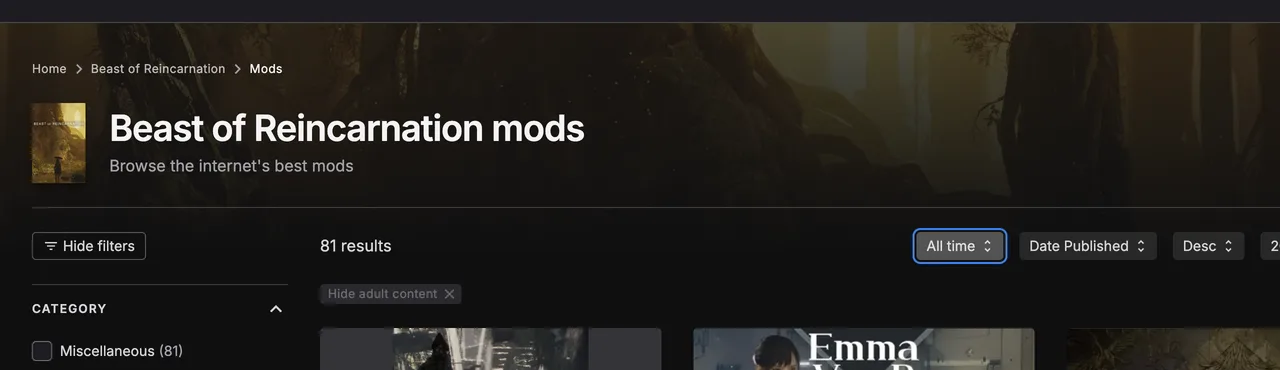
The Nexus Mods listing for Beast of Reincarnation, showing 67 results, a single Miscellaneous category containing all of them, and the three most-downloaded mods with their download counts.
Read 7 August 2026, sorted by downloads. Two things are legible in it: the result count, and the category sidebar offering exactly one option with all 67 inside it — which is why sorting, not filtering, is the only way to navigate this catalogue today. Capture from Nexus Mods. 9 of the 76 ids allocated so far are not in the live listing.

An Engine.ini edit that forces frame generation on through the game’s existing DX12 swapchain. Second most-downloaded mod for the game.

Lets the game load unsigned mods from a ~mods folder. A prerequisite rather than a feature, which is why it ranks this high.

Disables the forced post-processing stack. Relevant because the game bundles film grain and chromatic aberration into one Post Processing slider with no individual toggles.

Custom FOVLtFlink · 1.9k

FOV control with F6/F7/F8 hotkeys and cutscene detection, for players on 16:9 who want a wider camera and no other changes. Game default FOV is 78.

Show All Map IconsOverZ3 · 1.6k

Forces every map icon visible. Worth noting next to the collectible counts on this site: it is a completion aid, and it changes what the map is.

Lossless Engine TweaksVercadi · 1.6k

An Engine.ini tweak aimed at the traversal stutter documented on our PC fixes page. Claims to reduce hitching, not remove it — which matches every measured finding we hold.

Selection rule: in the top ten by downloads and not an ultrawide fix. That is a fact about what other people installed, not a recommendation — none of these has been tested here either.

Four things worth knowing first

Before you install any of this

The game rejects unsigned mod files, so some mods need an enabler first

Two separate mods exist purely to lift that restriction — a mod enabler (3.2k downloads, the third most-downloaded mod for this game) and a signature bypass. A mod that ships PAK/UTOC files needs one; the Lua and ASI mods on this page do not.

Nothing here is endorsed by GAME FREAK or Fictions, and mod support is not a feature the game advertises

There is no official mod API, no Steam Workshop, and no developer statement about mods. Everything on this page works by injecting into a shipped binary. That is normal for an Unreal title and it is still worth knowing before you decide.

A patch is due and it will probably break these

The developer announced a first post-launch patch within a week of 5 August, and one of its five named items is camera adjustments. Every mod on this page hooks the camera or the UI layout. Expect to reinstall or wait after the patch lands.

None of these has been tested by this site

Every feature column is the author’s own claim from their mod page, read on one day. We have not installed any of them and we do not have a 21:9 display to check them on. If you install one and a column is wrong, the correction form is on this site and the row will be changed.

On that third point specifically — what was announced, what the complaint behind each item was, and what has actually shipped — there is a ledger: the patch tracker.

Beast of Reincarnation mods FAQ

It depends on which symptom you have, because the four do not overlap. rankftw’s is the most thoroughly documented and the only one that publishes its own known issues. therake620’s is the most downloaded and the easiest to install — a plain file copy with no prerequisite. Lyall’s is the only one that also fixes DLSS reverting to FSR 1 and the only one with Steam Deck instructions. StarScreamRules89’s is the only one that claims to repair invisible enemy and boss health bars. None of them has been tested by this site.

Sources for this page

Every mod page read 7 August 2026. Download and endorsement counts move daily and the feature claims are the authors’ own — follow any link for the live version, and use the correction form if a row is wrong.

Related

PC problem finder — symptom in, sourced steps outUltrawide: what the developer said, and what players said backWhy the game caps at 1080p on a 4K displayPatch tracker — announced against deliveredBest PC settings, every setting measured individuallyKnown issues: official fixes and community watchReport a correction